Skills you can keep.
A skill is something you install and keep. Claude does one job exactly the way you want it done, every time, without being re-explained. All four are free
Receipts
“Audit my subscriptions.”
A weekly audit of your receipt emails. It keeps a running ledger, computes your monthly burn, and flags duplicate charges, price hikes, and new vendors.
Its first real run found one product billing twice through two payment channels, and a second plan still active next to the one actually in use. About $640 a year of pure waste, in a single pass.
The Rundown AI ran Receipts as its Community AI Workflow of the Day on 5 August 2026.
Read the issue →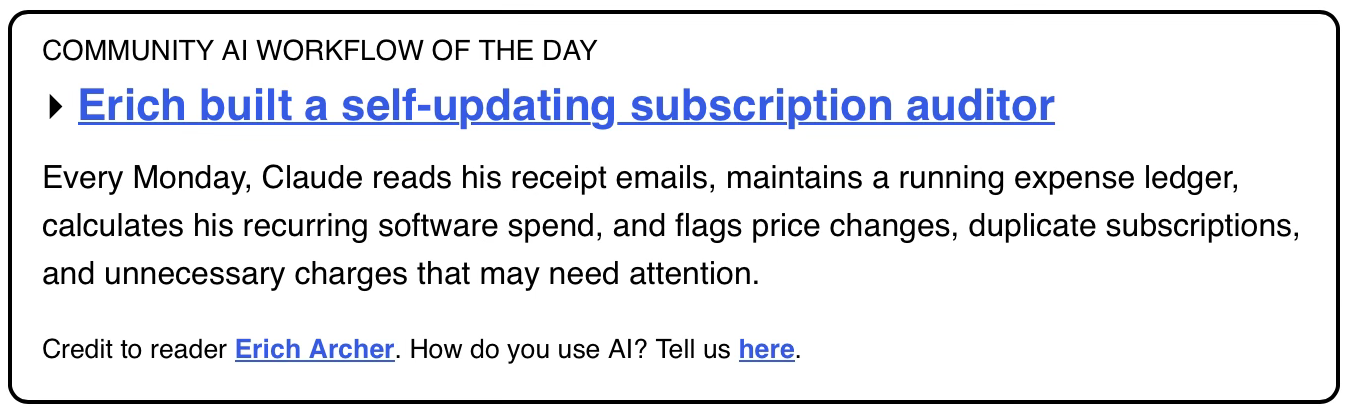
Three more, same deal.
Prep
“Prep me for tomorrow’s call.”
A one-page brief for any booked meeting, built from your calendar, your inbox, and the public record. One clear goal, zero invented facts. It reads full threads instead of search snippets, because the thing that matters is usually hiding in the truncation. It is an internal document, never sent to the other side.
Better with calendar and mail connectedCamera
“Make the camera feel like a person is holding it.”
Most AI video prompts list camera artifacts like a shopping order: shake, focus hunting, exposure pumping. That fights the model. This does one thing instead, it gives the model an operator to inhabit, a specific human with a job, a skill level, a body, and a fear response. Prompt one persona and twenty artifacts emerge coherently.
Works with any video modelProof
“Check your own work before you show me.”
When AI helps you make visual work, the default failure is a one-to-one loop: it generates, you look, you describe what is wrong, it generates again. You become the renderer and the QA department for your own assistant. Proof hands the looking back to Claude. It renders its own work, fixes what is objectively broken, and only then shows you anything. Your eyes get spent on taste, never on defects.
Pages, decks, images, anything with a lookHow to install one.
- Download the .skill file above.
- Open Claude and drop the file into the chat, or use Settings, then Capabilities.
- Say the trigger line under the skill name. Claude takes it from there.
Want the ones I don’t give away?
These four are the general-purpose versions. The ones I build for a business are shaped around how that business actually works, its vocabulary, its rules, the steps only that operator knows. That is the installation.
Start a conversation